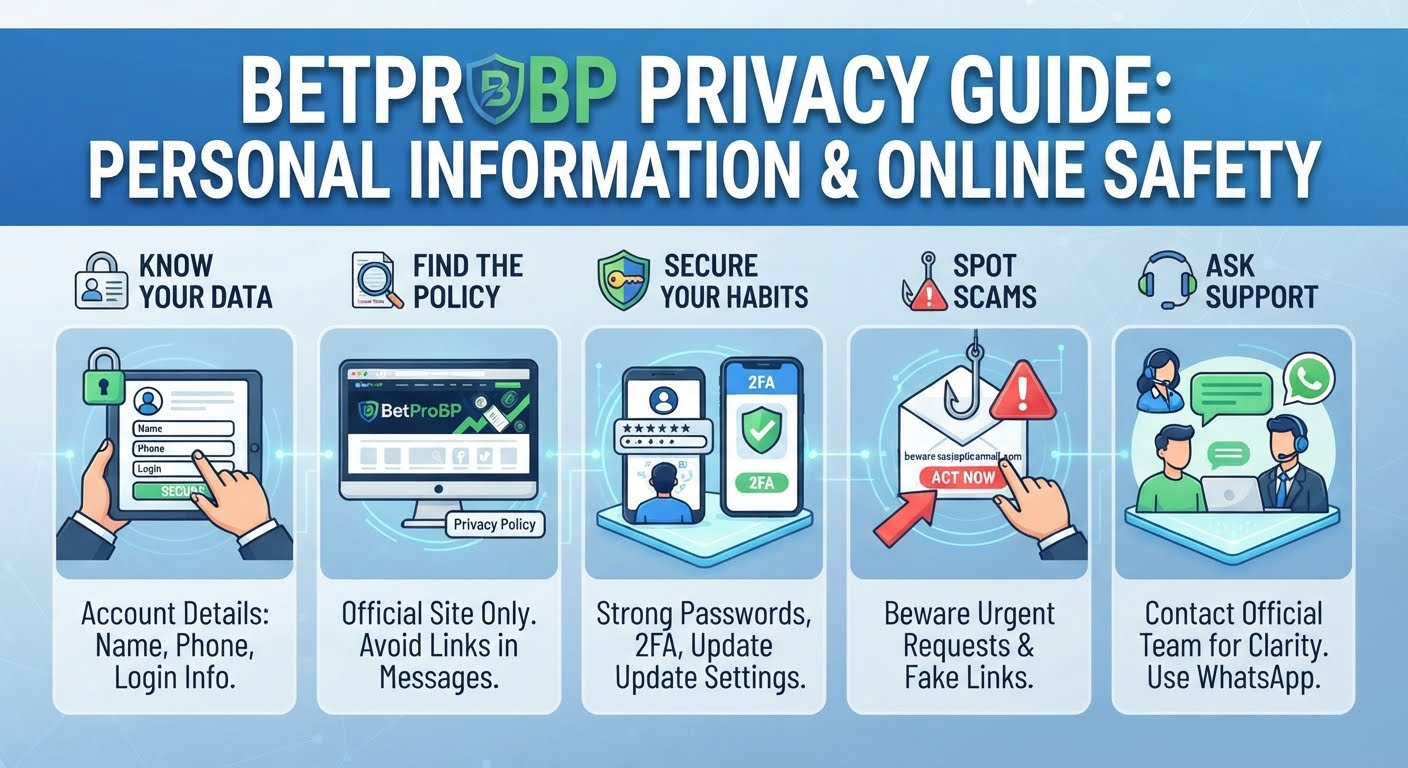
BetProBP Privacy Guide: Personal Information & Online Safety
BetProBP privacy is something every user should know a little about. When you make an account, you hand over some details, like your name, your phone number, and your login info. It's only fair to wonder what happens to that stuff. The reason for most people skipping this stage is because they consider the privacy page too lengthy and boring. The truth is that spending some few minutes in going through this section will help you save yourself from many future problems.
This guide makes it easy. You will find out where you can get the official policy, what is needed in it, and how to protect your data.
Why Online Account Privacy Matters
Think of your account like your house. You pick who gets a key, and you'd never give one to a stranger. Your personal data is no exception to this rule. However, in case the data falls into the hands of the wrong people, they might use the data to deceive you and even access other accounts of yours.
Online privacy is not about keeping everything secret from everybody. It is about having control over your personal information. You choose what information to release and to whom. When you want not to share anything at all, you can simply not do that. This is what online privacy of an account is all about.
The website has a part to play too. A good site should tell you what info it keeps and why. You'll find that in its privacy policy, so let's see where it lives.
Where to Find the Official BetProBP Privacy Policy
The best place to read about how the site handles things is the official BetProBP privacy policy. Always go to the main website on your own. Don't trust a link that a stranger sends you, or one you saw in a social media post or any kind of random message.
Here are a few easy ways to find it:
- Look at the bottom of the webpage and find "Privacy Policy."
- Check the help or info page.
- Just type the URL of the webpage into your browser yourself.
Fake websites can look just like the real one. If you read a fake page, you might get the wrong info. You might even get tricked into sharing something private. If you read the policy on the official site, you're in good hands.
What to Review in a Privacy Policy
The policy might look long, but you don't have to read every single word. Just check these parts:
What info is kept. The policy should list the account details the site asks for, like your contact info or login info. It's also where you learn about your BetProBP account information and what the site stores.
Why is it kept. A good policy gives clear reasons. If you can't find a reason, make a note of it.
How it's used and shared. This is the big one when it comes to data handling. See if your info gets shared with other companies, and why.
How long it's kept. Some policies tell you how long your info stays stored. They might also say what happens if you stop using the site.
Your choices. Look for ways to change your details or ask a question.
The update date. Policies change from time to time. Take a quick look at the "last updated" date once in a while.
If something isn't clear, don't just guess. Send your question through the official contact page and let the team explain it to you.
Practical Ways to Protect Personal Information
It is not necessary to use advanced tools to protect personal information on the Internet. A few easy habits will do the job.
Use a strong password that's different everywhere. A long password made of a few random words is hard to guess. Don't use the same password on two sites. That way, if one site has a problem, your other accounts are still safe. A password manager can remember them all for you.
Add an extra step. Some websites provide a code sent to your phone when logging in, such that even in case someone knows your password, they will still need the code.
Review your privacy settings. Spend five minutes reviewing your account settings. Update any old phone numbers and emails, and choose what kinds of updates you receive. You should definitely do this every month.
Use safe, secure browsing habits. Before entering any sensitive information, ensure that the URL shown in the top bar of your browser is preceded by "https". There should also be a padlock symbol. Do not log into your account on any public Wi-Fi connection like in coffee shops or airports.
Keep your phone and browser updated. Updates fix weak spots. Switch on automatic updates and you can forget about it.
Not sure how to get into your account the safe way? The BetProBP login guide takes you through it step by step.
Avoiding Suspicious Links and Requests
Scammers want you to rush. They do not want you to pause and think. They could send you a message that seems very important or even very good to be true. Being able to recognize suspicious requests is an excellent practice to adopt.
Watch out for these signs:
- Messages that say you must act right now.
- Links with a tiny spelling change.
- Requests for your password, codes, or card details. A real support team won't need these.
- Strangers who say they work for the site.
- Offers that ask for a fee or documents first.
- Messages with spelling mistakes or an unknown sender.
In case you are not sure about anything, just do nothing. Do not click the link or reply to the message. Go on your own to the site and check out the contact details. Better be sure now than regret later.
Want to learn more about scams and how to keep your login safe? Have a read of the BetProBP security guide.
Keeping Account Details Private
Treat your account details like a private diary. Here are some simple rules:
- Don't share your login with anyone, not even friends or family. If someone else uses your account, you lose control of it.
- Don't post personal details in public. Your phone number, address, ID documents, and financial details must not be shared on social media or through group chat.
- Be careful with screenshots. A screenshot could end up showing your personal information accidentally. Look it over first, and cut out anything personal.
- Log out on shared devices. If you're on a computer that isn't yours, sign out when you're done. Don't let the browser save your password.
- Think before sharing information. Only give out your details when you know who's asking and why they need them.
It also helps to keep your email and phone number up to date. That way the site can reach you quickly if something odd happens. And if you ever need a hand, the BetProBP support guide shows you what to expect.
How Privacy and Account Security Differ
A lot of people think these two mean the same thing. They don't.
Privacy is about your info. It's about what's kept, how it's used, and who gets to see it. The question is: "Do I know how my data is handled?"
Security is about protection. It's about keeping bad people out of your account. The question is: "Is my account safe?"
Here's an easy example. A site might have great security, like a lock on every door, but still keep more info than you'd like. Or a site might keep very little info, but if your password is weak, someone can still walk right in.
You need both. The site takes care of its side, and your habits take care of yours. To read more about the protection side, visit the official BetProBP account security page.
Where to Ask Questions About Privacy
You might still have a question after reading the policy, and that's totally normal. The best thing to do is ask the official team. Don't guess, and don't take advice from strangers online.
Here's what you can do:
- Review the policy again and highlight the part that confuses you.
- Write your question in a concise and clear note.
- Avoid using your passwords, codes, or even card numbers here.
- Visit the official BetProBP support page to see how to reach the team.
- Save any reply you get, so you can check it again later.
If you have a question about the website's privacy information, contact support on WhatsApp.
Quick Wrap Up
Privacy doesn't have to be hard. Just start with three easy steps. Read the official policy. Check your account settings. Think twice before you share anything private. And if something isn't clear, ask the team instead of guessing.
Take a few minutes today to read the current official privacy policy. If any part isn't clear, reach out to support. A little care now keeps your info safer later.
Frequently Asked Questions
Where can I find the BetProBP privacy policy?
It's on the official website. Look for a "Privacy Policy" link in the footer or the help section. Always use the official site, and skip links from messages you don't know.
What personal information should I avoid sharing publicly?
Never share your password, any OTPs, ID documents, address, phone number, or other personal data. Scammers may use small pieces of information together to learn a lot about you.
How is privacy different from account security?
Privacy is about what info is kept and how it's used. Security is about keeping people out of your account. Both matter, and they work best together.
How can I spot suspicious requests for personal information?
Avoid those things that are too urgent or those links that appear unusual to you. Never respond to any request for your password or code from anyone. Always go to the official website and use their contact details.
Who should I contact if I have a privacy question?
Contact the official team through the website's support or contact page. You can also reach them on WhatsApp.
About the Author
BetProBP Editorial Team
The BetProBP Editorial Team prepares clear, easy to follow guides on account registration, login, security, responsible gaming, and support. Each article is written from the information published on our website, with a focus on accuracy and user safety.